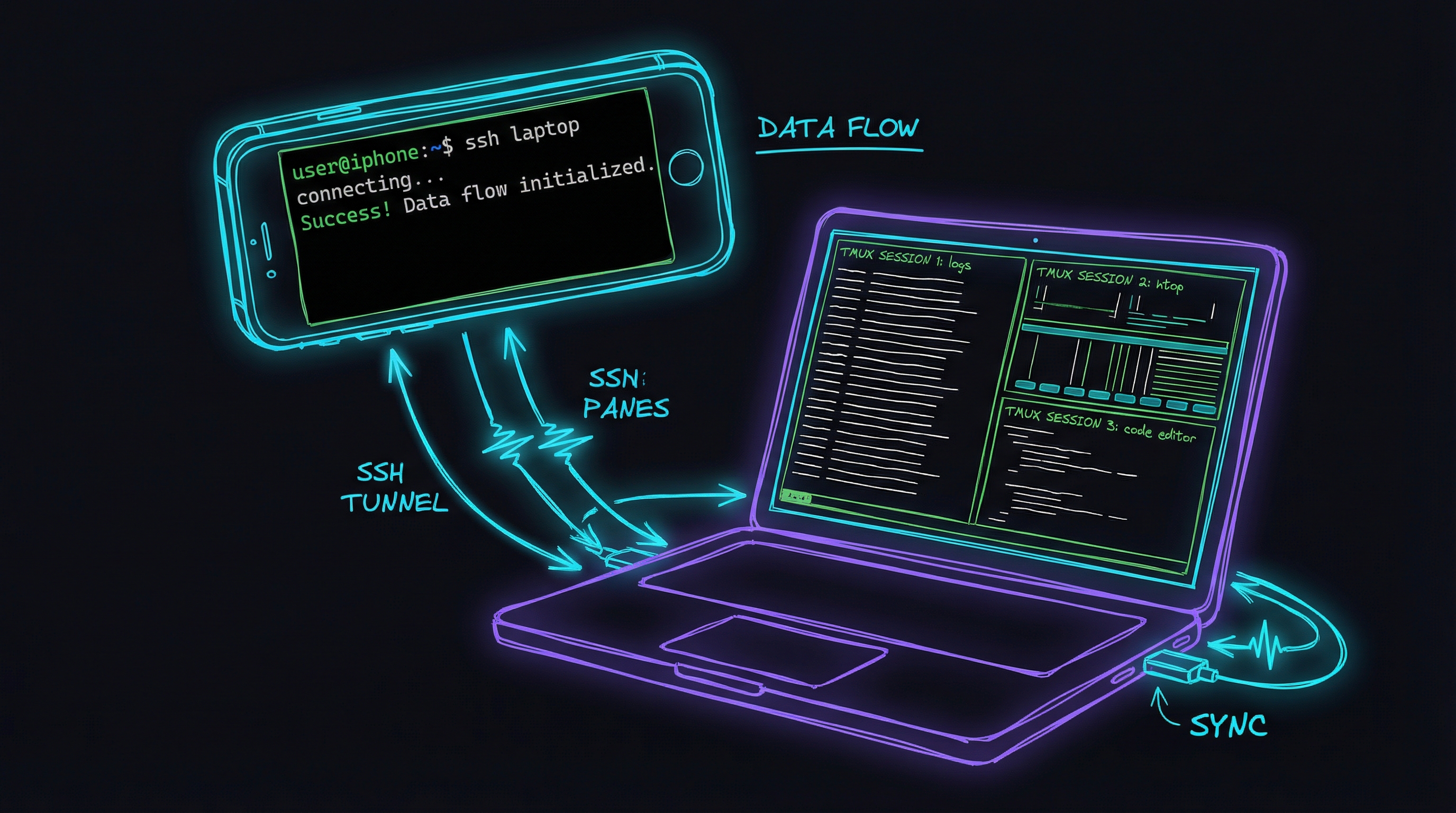
I wanted to check on Claude Code while away from my desk. Not just see if it was running - actually watch it work, send commands if needed, switch between different sessions.
The idea seemed straightforward. The execution… less so.
What I Was Trying to Solve
Claude Code runs in a terminal. When it’s working on something complex, I sometimes want to peek in and see how it’s going. Or I’m out walking the dog and remember I left a task running. Or I want to kick off something new without going back to my laptop.
I tried a few SSH apps on my phone. They work, technically, but the experience wasn’t great for this particular use case. I wanted something more purpose-built.
The Approach
The basic idea: my Mac runs tmux sessions (one or more with Claude Code), and a small server captures what’s on screen and streams it to my phone via WebSocket. Tailscale handles the networking so I can connect from anywhere without exposing ports to the internet.
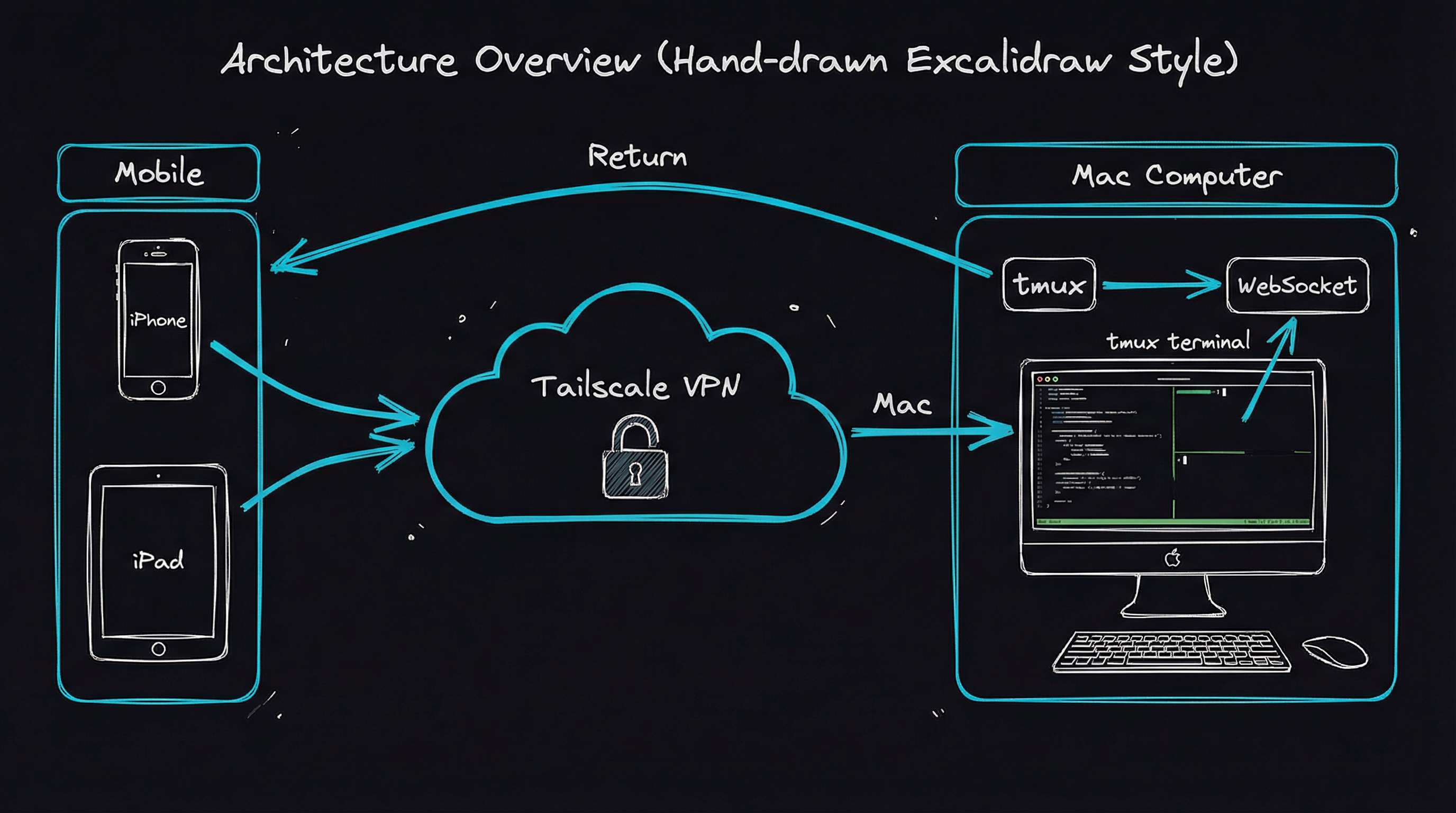
No SSH involved, actually. The server just polls tmux every 250ms asking “what’s on screen right now?” and sends any changes to the phone. Keystrokes go the other way - phone to server to tmux.
It’s more like screen sharing than remote shell access.
What Actually Works
Session switching - This is probably the most useful bit. I can have multiple Claude Code instances running (one on frontend work, another on backend, maybe a third running tests) and flip between them from my phone. Create new sessions, close finished ones, see which ones exist.
Real-time display - The screen updates are responsive enough. There’s a quarter-second delay but you get used to it. Colours work, the formatting looks right.
Mobile controls - Typing Ctrl+C on a phone keyboard is awkward at best, so I added buttons for the common ones: interrupt, escape, tab, the Claude Code shortcuts. Little haptic buzz when you tap them.
Copy/paste - iOS text selection is fiddly in a terminal emulator, so there’s a mode that converts the terminal output to selectable text. Not elegant, but it works.
What Doesn’t Work (Yet)
Connection drops - The WebSocket connection occasionally drops, especially when switching between wifi and mobile data. You have to tap reconnect. It’s annoying but not a dealbreaker.
Small screen - A terminal really wants more real estate than a phone provides. Works better on iPad. On iPhone it’s functional but cramped.
No persistence - If Claude Code asks a question while my phone is asleep, I’ll miss it. There’s no notification system yet. That’s probably the biggest gap.
The Technical Bits
If you’re curious about implementation, the server uses Bun and TypeScript. The client is Vue with xterm.js for terminal rendering. The tmux integration uses capture-pane to grab screen content and send-keys to forward input.
# This is essentially what the server does every 250ms
tmux capture-pane -t session-name -p -e
The -e flag preserves colour codes. Without it you get plain text, which works but looks boring.
Tailscale gives each device a stable IP on a private network. My Mac is always reachable at the same address whether I’m at home, at a coffee shop, or on mobile data. No port forwarding, no dynamic DNS, no certificates to manage.
How This Compares to Clawdbot
If you’ve been paying attention to AI tooling lately, you’ve probably seen Clawdbot (recently rebranded to Moltbot after Anthropic sent a trademark request). It’s the thing that went viral in January - the “personal AI assistant” that connects Claude to your messaging apps.
Different tools for different problems, really.
Clawdbot is a general assistant that lives in your chat apps. You message it on Telegram or Discord or iMessage, and it can do things for you - install software, manage files, send emails. It’s like having Claude in your pocket via your existing messaging workflow. The trade-off is that you’re interacting through text commands, not seeing what’s actually happening on your machine.
My approach is terminal mirroring. I’m not chatting with an assistant - I’m literally watching Claude Code work, seeing the exact same screen I’d see if I were sitting at my Mac. Different mental model entirely.
| Aspect | Clawdbot/Moltbot | My Terminal App |
|---|---|---|
| Primary use | General AI assistant via chat | Monitoring Claude Code sessions |
| Interface | Messaging apps you already use | Custom web app via Tailscale |
| What you see | Text responses to commands | Actual terminal screen content |
| Interaction model | Ask it to do things | Watch it work, send keystrokes |
| Multi-session | Single conversation thread | Multiple tmux sessions |
| Setup complexity | npm install, configure channels | Bun server, tmux, Tailscale |
| Cost | $5-20/month (LLM API calls) | Just your existing Claude plan |
When Clawdbot makes more sense:
- You want to fire off tasks from anywhere without seeing the details
- You’re coordinating with Claude across multiple messaging platforms
- You want proactive reminders and briefings
- The 100+ community skills appeal to you
When my approach makes more sense:
- You specifically run Claude Code and want to watch it work
- You need to manage multiple long-running sessions
- You want visual confirmation before approving changes
- You’re already running tmux and Tailscale
One thing that gave me pause about Clawdbot: security researchers found exposed instances with leaked API keys via Shodan. That’s less a problem with the tool itself and more about how people deploy it - but it’s a reminder that anything accepting remote commands needs careful setup. My approach doesn’t expose any ports to the internet (Tailscale handles that), which feels more comfortable for something that can send keystrokes to my terminal.
Honestly? I’d probably use both if I had different needs. Clawdbot for kicking off simple tasks via iMessage. My app for watching complex Claude Code sessions unfold. They don’t really compete.
Is It Worth It?
For me, yes. I’ve caught runaway processes, approved changes, and started new tasks without walking back to my desk. It scratches an itch I didn’t know I had until I started running longer Claude Code sessions.
It’s definitely MVP territory - rough edges everywhere. But it works well enough that I use it daily, and I’ll keep iterating on it.
The code is about 500 lines of server plus 800 lines of Vue components. Nothing fancy. If you run tmux and Tailscale already, the pieces fit together without much friction.
What’s Next
The biggest gap is notifications. I want a ping when Claude Code asks a question and I’m not watching. Push notifications from a PWA are fiddly, but it’s the obvious next step.
Beyond that, maybe scrollback history so I can see what happened while I was away. And better connection handling when switching between wifi and mobile data.
But for now, it does what I needed: lets me check on Claude Code from across the room, or across the city.
Building tools for my own Claude Code workflow. Sometimes they’re useful to others, sometimes they’re just useful to me.